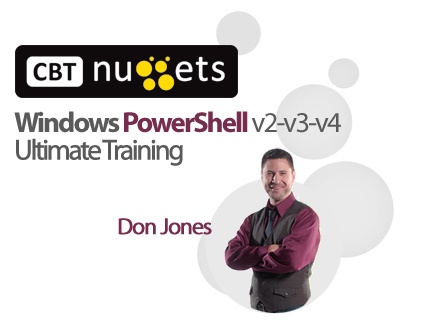
This PowerShell video training course with Don Jones covers everything an administrator can do with any current version of PowerShell.
Finally, it’s the Windows PowerShell class you’ve always wanted – from the world’s leading PowerShell instructor. Covering every version of PowerShell, this course by PowerShell MVP Don Jones clearly explains the differences between each version currently used in production environments and covers literally EVERYTHING an administrator might want to do with the shell.
Start from absolute zero, and learn to use the shell as it was meant to be used. Advance into scripting and “toolmaking,” learning to make command-line and graphical tools from scratch. Move into advanced, real-world, field-proven topics such as reporting, trend analysis, and more. Learn super-advanced features like workflow and Desired State Configuration. You’ll even find topics that go beyond the shell, such as using Component Object Model and .NET Framework classes in the shell.
It’s one course, with EVERYTHING the shell touches. Encompassing more than 30 HOURS of instruction, combined with self-paced hands-on labs (and video lab reviews), this is truly the ULTIMATE class for learning Windows PowerShell.
Topics include:
01-Series Introduction and Lab Setup
02-Windows PowerShell Orientation and Requirements
03-Finding and Discovering Commands
04-Interpreting Command Help
05-Running Commands
06-Working with PSProviders and PSDrives
07-Variables Strings Hashtables and Core Operators
08-Regular Expression Basics
09-Running External Commands Tips and Tricks
10-Learning the Pipeline Exporting and Converting Data
11-Understanding Objects in PowerShell
12-Core Commands Selecting Sorting Measuring and More
13-How the PowerShell Pipeline Works
14-Formatting Command Output
15-Comparison Operators and Filtering
16-Advanced Operators
17-Setting Default Values for Command Parameters
18-Enumerating Objects in the Pipeline
19-Soup to Nuts Completing a New Task
20-LAB A PowerShell Core Review
21-PowerShell Remoting Basics
22-Persistent Remoting PSSessions
23-Implicit Remoting Using Commands on Anot
24-Advanced Remoting Passing Data and Worki
25-Advanced Remoting Crossing Domain Boundaries
26-Advanced Remoting Custom Session Configurations
27-Web Remoting PowerShell Web Access
28-LAB B PowerShell Remoting Review
29-WMI and CIM WMI Docs and the Repository
30-WMI and CIM Using WMI to Commands Query Data
31-WMI and CIM Using CIM Commands to Query Data
32-WMI and CIM Filtering and WMI Query Language
33-WMI and CIM Associations
34-WMI and CIM Working with CIM Sessions
35-WMI and CIM Executing Instance Methods
36-LAB C WMI and CIM Review
37-Background Job Basics Local WMI and Remoting Jobs
38-Scheduled Background Jobs
39-LAB D Jobs Review
40-PowerShell Script Security
41-Prompting for Input Producing Output
42-Creating Basic Parameterized Scripts
43-PowerShell Scripting Logical Constructs
44-PowerShell Scripting Looping Constructs
45-PowerShell Scripting Basic Functions Filters and Pipeline Functions
46-PowerShell Scripting Best Practices
47-PowerShell Scripting From Command to Script to Function to Module
48-PowerShell Scripting Scope
49-PowerShell Scripting Combining Data from Multiple Sources
50-LAB E PowerShell Scripting Review
51-Advanced Functions Adding Help
52-Advanced Functions Parameter Attributes
53-Advanced Functions Pipeline Input
54-Advanced Functions Parameter Sets
55-LAB F Advanced Functions Review
56-Creating Private Utility Functions and Preference Variables
57-Adding Error Capturing and Handling to a Function
58-Advanced Error Handling
59-Error Handling the Old Way Trap
60-Debugging Techniques
61-Creating Custom Formatting Views
62-Creating Custom Type Extensions
63-Working with SQL Server (and other) Databases
64-Working with XML Data Files
65-Supporting –WhatIf and –Confirm in Functions
66-Troubleshooting and Tracing the Pipeline
67-Using Object Hierarchies for Complex Output
68-Creating a Proxy Function
69-LAB G Advanced Scripting Review
70-From the Field Enhanced HTML Reporting
71-From the Field Trend Analysis Reporting
72-From the Field Scraping HTML Pages
73-Introduction to PowerShell Workflow
74-Desired State Configuration The Basics
75-Desired State Configuration Configuration Scripts and Pull Servers
76-Desired State Configuration Writing Resources
77-Controller Scripts Automating Business Processes
78-Controller Scripts A Menu of Tools
79-Creating a GUI Tool The GUI
80-Creating a GUI Tool The Code
81-Creating a GUI Tool The Output
82-Creating a GUI Tool Using Data Tables
83-LAB H Automating a Business Process
84-Globalizing a Function or Script
85-Discovering and Using COM Objects
86-Discovering and Using .NET Classes and Instances
87-Using Type Accelerators
88-The Big Gotchas in PowerShell
89-Fun with Profiles
90-Random Tips and Tricks


Reviews
There are no reviews yet.